
Surfwise Get the app
Browser + link checker · Android & iPhone

Know where a link really goes.

Paste a link. Three honest steps. A report in plain words.

Surfwise checking a link, step 1 of 3: the redirect trail from wikipedia.org to en.wikipedia.org
Surfwise link report: 98 out of 100, no threats found
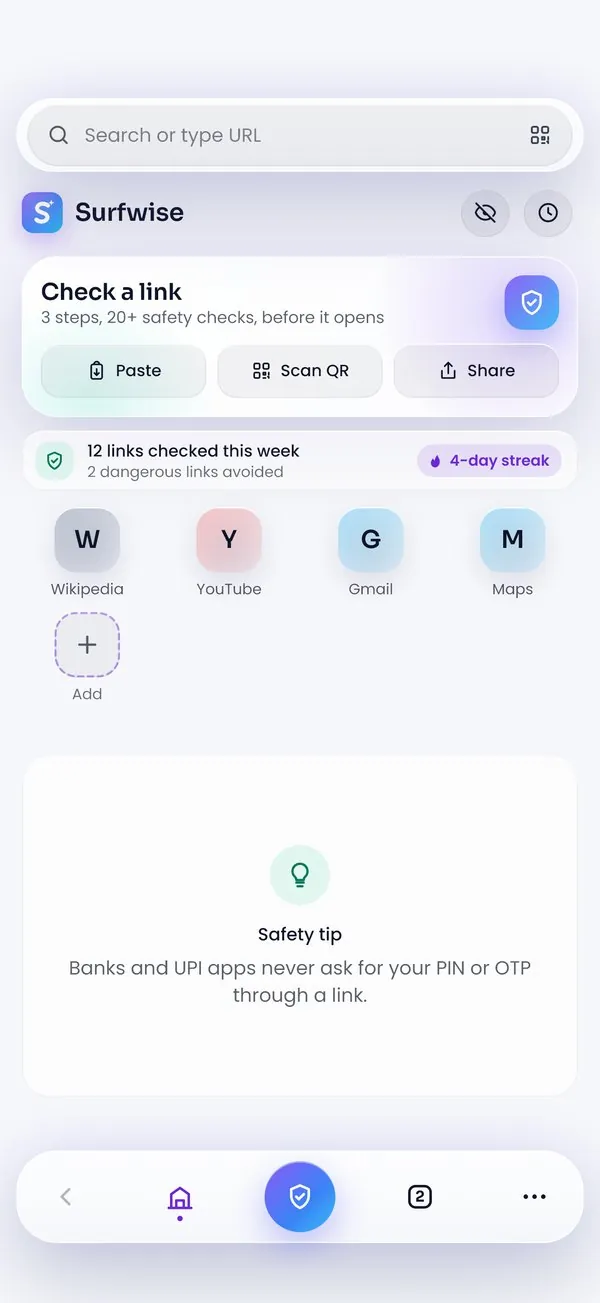
Surfwise home screen with the Check a link box
How a check works

Three steps, one at a time.

A row appears only when its step has really finished.

  1. 01

    Paste a link

    Put it in the Check a link box, or scan a QR code.

  2. 02

    Pick a check

    Standard, Deep or AI check, on one screen.

  3. 03

    Watch the three steps

    Where it goes, who runs it, is it safe.

    https://wikipedia.org/wiki/Phishing Standard check
    1 · Where it goesDone
    wikipedia.orgwww.wikipedia.orgen.wikipedia.org

    2 redirects · all HTTPS

    2 · Who runs itDone
    CertificateLet's Encrypt · valid
    Registered26 years ago
    RegistrarMarkMonitor
    Hosted byWikimedia
    3 · Is it safeDone
    • Google Web Risk: no threats
    • PhishTank: not listed
    • Security DNS: not blocked
    • Warning signs: none
  4. 04

    Read the verdict

    A score out of 100 and a report in plain words.

The report

A verdict you can read.

Score out of 100. Every finding explained. Then you decide.

No threats found en.wikipedia.org/wiki/Phishing 3 of 3 steps finished
Where it goes2 redirects, all HTTPS
Who runs itWikimedia · 26 years old
Is it safe4 checks, no threats
  • No threats found · open it
  • Be careful · read the findings first
  • Dangerous · we suggest going back
The browser

A full browser, checker built in.

Tabs and private tabs

Private tabs lock behind Face ID.

Reader mode

Just the article, no clutter.

Ad & pop-up blocker

Fewer interruptions, faster pages.

Page X-ray

See scripts, forms and trackers.

Scam evidence PDF

Export the findings to report a scam.

QR scan

Check the code before it opens.

16 languages

App and reports in your language.

No account, no tracking

Ordinary browsing never leaves your phone.

Surfwise Plus · optional

Free does the whole check. Plus removes the waiting.

  • No Surfwise ads
  • No waiting between steps
  • Monthly AI checks
  • Detailed checks without a video

Price shown in the app for your country.

Surfwise check choice screen: Standard, Deep or AI check
Download

Get Surfwise on your phone.

Free. No account. On iPhone and iPad now, Android in testing.

Coming soon · testingGoogle Play

Download on theApp Store
Surfwise step 1 of 3: where the link goes
Surfwise verdict screen: 98 out of 100, no threats found
FAQ

Straight answers.

Still curious?support@anvillabs.app

Email us
Is my browsing sent to you?

No. Only the links you choose to check are sent.

Do I need an account?

No. Nothing to sign up for, in the app or here.

Does this website check links?

No. A link you paste here opens in the Surfwise app, and the app runs the three steps. Everyone gets the same page.

What does Ask AI do?

A second opinion on the finished report. It asks your permission first.

What if a step cannot finish?

The report shows only the steps that finished and names the one that did not.

What is a partner short link?

A short link from a website that partners with Surfwise. It opens through that partner's own 5-second page.